Histopathology Screener: Free, Private AI Slide Reading with MedGemma
A while ago I shared a histopathology screener on LinkedIn: upload a histology image, and an AI model describes it and says whether it looks benign or malignant. It ran on a paid cloud API. I have rebuilt it from scratch, and the headline feature is new: it now runs free, on your own computer, with MedGemma, Google's open medical AI model. No API key, no per-image cost, and the slide never leaves your machine.
For research and medical education only. Not a medical device, and not a diagnosis.
MedGemma: an open medical model on your laptop
MedGemma is a family of open models from Google, built on Gemma 3 and trained further on medical text and images, histopathology among them. The 4-billion-parameter version reads images, and at about 3.3 GB it fits on an ordinary laptop. The app runs it through Ollama, a free tool for running open models locally.
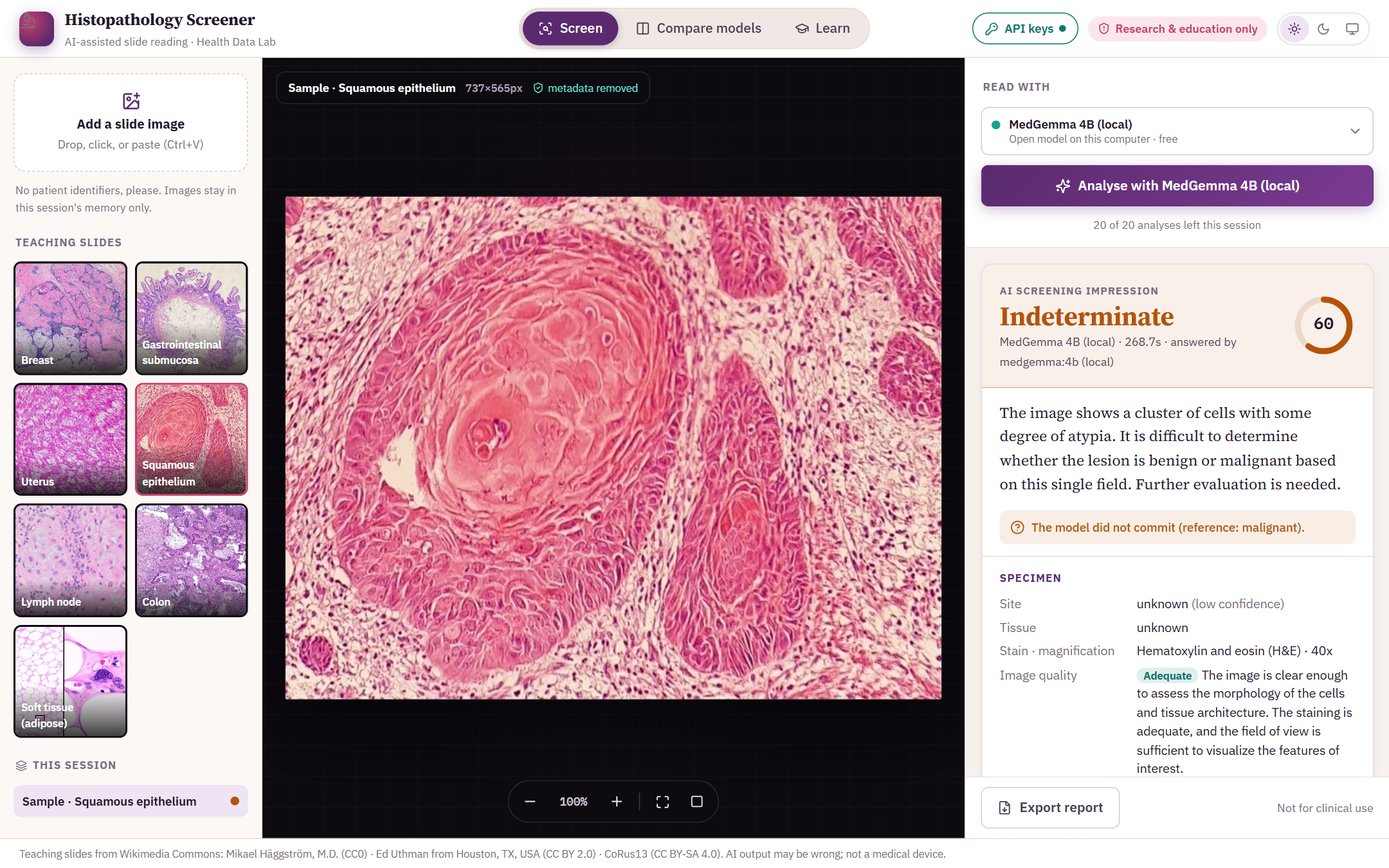
Every reader, local or cloud, gets the same instructions and fills in the same report: benign, malignant or indeterminate with a confidence score, the specimen and image quality, morphological features (each marked as favouring benign or malignant), a differential diagnosis, teaching points, next steps, and the limits of what one image can show.
The online demo runs on a small free server, which cannot hold a medical model in memory, so MedGemma is only offered when you run the app on your own computer. Online you can use Claude or Gemini with your own key (below).
Run it on your computer in four steps
- Install Ollama from ollama.com/download (Windows, macOS or Linux).
- Download MedGemma (about 3.3 GB, once):
ollama pull medgemma:4b - Get the app (Python 3.10 or newer):
git clone https://github.com/AbdulrahamanMusa/Health-Data-Lab.git cd Health-Data-Lab/histo-screener pip install -r requirements.txt - Start it and open the address it prints (usually
http://127.0.0.1:8000):python -m shiny run app.py
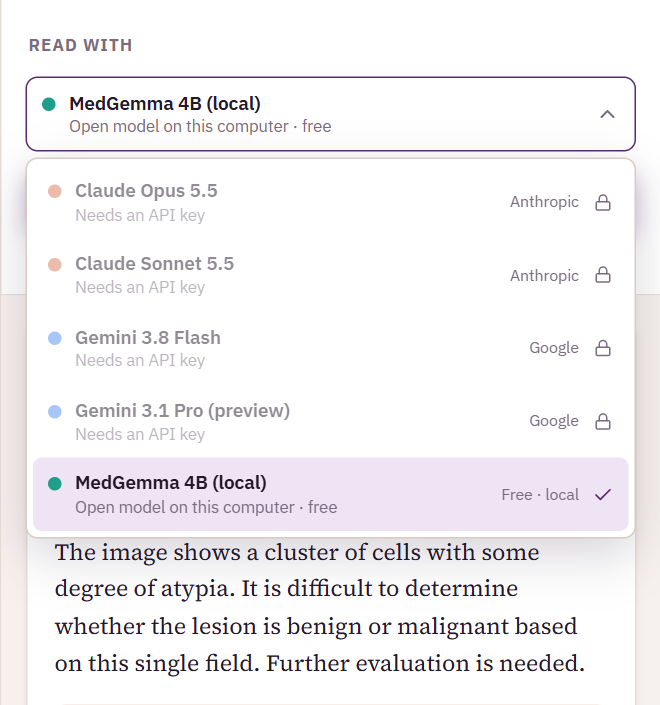
The app checks for MedGemma every 15 seconds, so it unlocks by itself as soon as the download finishes. Choose it from the Read with menu.
How well does a small local model do?
I ran MedGemma 4B on 4 of the app's teaching slides from Wikimedia Commons, each with a known reference diagnosis, on a laptop without a graphics card:
| Slide (reference diagnosis) | Reference | MedGemma said | Confidence | Result |
|---|---|---|---|---|
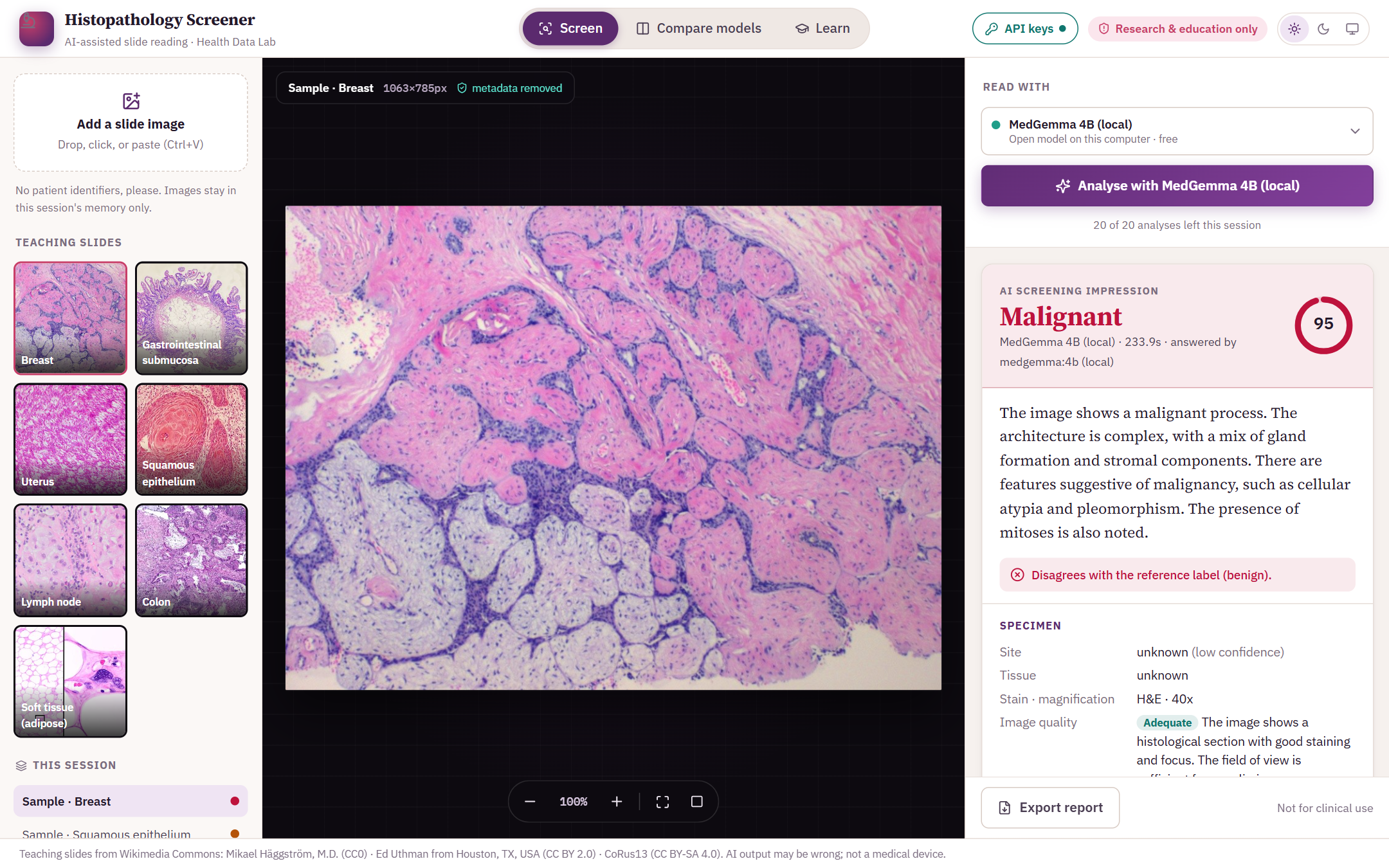
| Fibroadenoma of the breast | Benign | Malignant | 95% | Disagrees |
| Submucosal lipoma | Benign | Indeterminate | 60% | Didn't commit |
| Uterine leiomyoma (palisading pattern) | Benign | Malignant | 95% | Disagrees |
| Invasive squamous cell carcinoma | Malignant | Indeterminate | 60% | Didn't commit |
0 of 4 matched the reference, 2 disagreed, and 2 were left indeterminate. Each report took 3.9–5.3 minutes (median 4.2) on the CPU; a graphics card brings that down to seconds.
The clearest miss: a Fibroadenoma of the breast, which is benign, was called malignant with 95% confidence. That is the most important lesson of this project. A model can be confidently wrong, which is why the app checks every teaching-slide answer against the reference diagnosis and lets you put two models side by side.
Or use Claude or Gemini with your own key
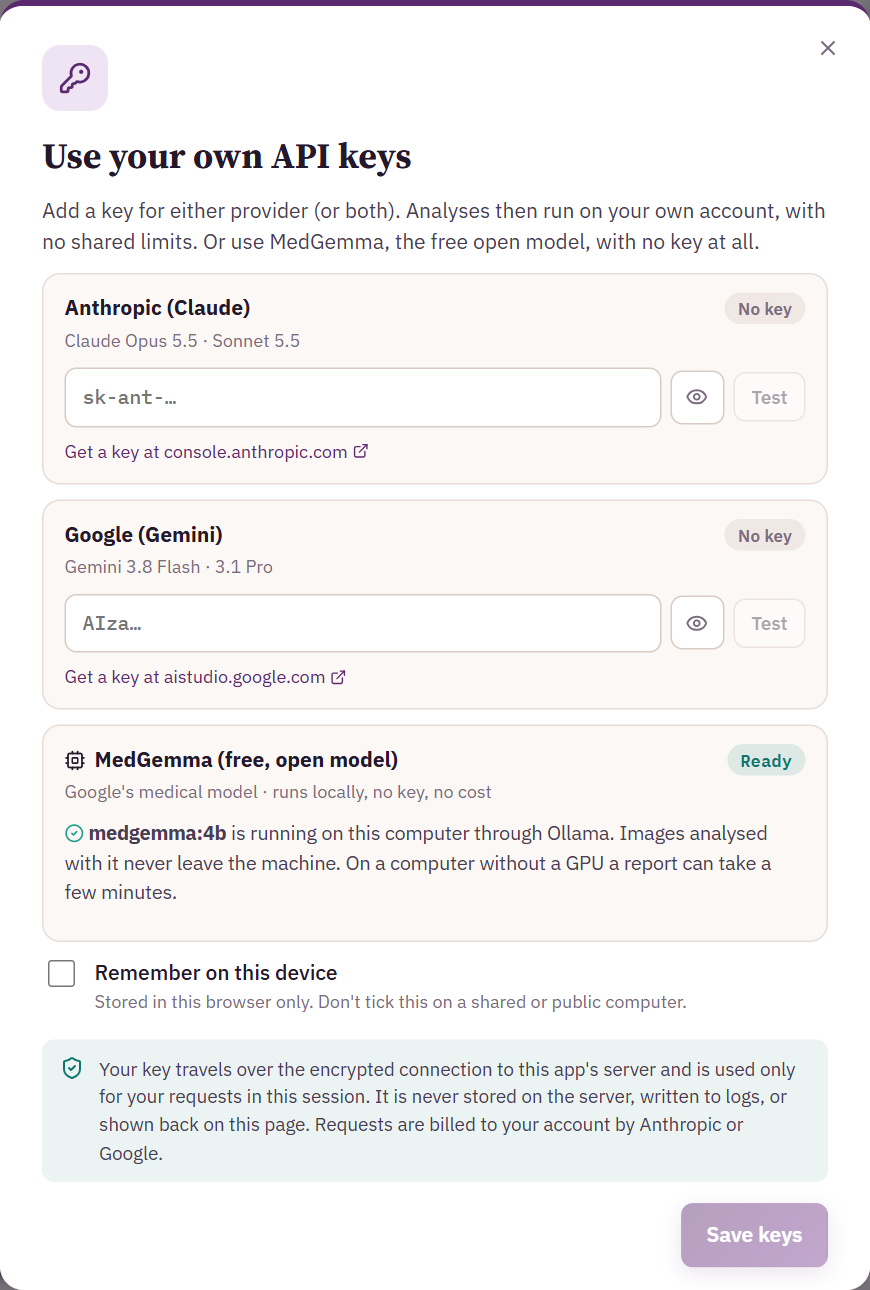
For stronger answers, the same app works with the large cloud models: Claude (Anthropic) and Gemini (Google). Paste your own API key in the API keys panel and press Test to check it. The key is used only for your session: it is not stored on the server or written to logs, and the page only ever shows its last four characters. Tick Remember on this device to keep it in your browser.
Compare models runs two readers on the same slide, for example MedGemma and Claude. Agreement builds confidence; disagreement shows exactly where a human expert should look.
Learn mode
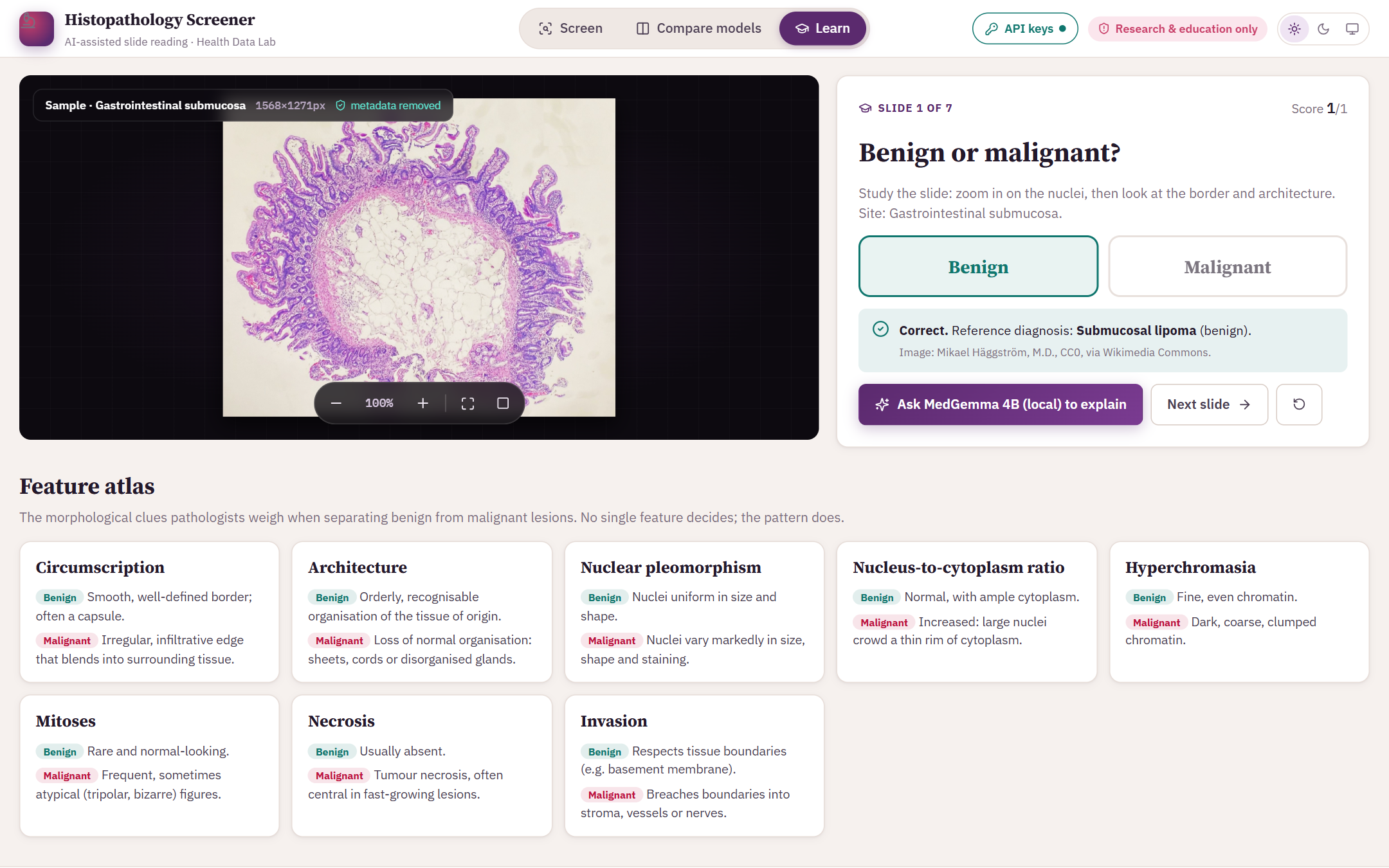
Learn mode is a quiz for students: study a teaching slide, zoom in on the nuclei, decide benign or malignant, and see the reference diagnosis with a running score. Then ask the model to explain what it sees. A feature atlas sums up the clues pathologists weigh: circumscription, architecture, nuclear pleomorphism, the nucleus-to-cytoplasm ratio, mitoses, necrosis and invasion.
Built for safe use
- A first-visit notice must be accepted, and every report carries a research-and-education disclaimer.
- Uploaded images are re-encoded before analysis, which strips hidden metadata such as camera details and location; nothing is written to disk.
- With MedGemma, the image never leaves the computer. With Claude or Gemini, it goes only to the provider you chose.
- Reports can be exported as a printable page that keeps the disclaimer and the model's limitations.
Please don't upload images that carry patient names, numbers or other identifiers.
For research and medical education only. Not a medical device, and not a diagnosis.
Teaching slides: Mikael Häggström, M.D. (CC0); Ed Uthman (CC BY 2.0); CoRus13 (CC BY-SA 4.0), via Wikimedia Commons. MedGemma is provided by Google under the Health AI Developer Foundations terms.