Health Data Lab: Never Overwrite Raw Data — Why Every Survey Needs a Cleaning Log
A survey team returns from the field with 1,211 interviews. Someone opens the export in Excel, deletes the rows that look wrong, fixes a few numbers, and saves over the file. Three months later a partner asks: "Why is Penta3 coverage 73.6%? Which records did you remove, and why?" Nobody can answer. The original data is gone.
This is the most common, and most avoidable, failure in health data management. This week's tool shows what it costs, and how to prevent it.
The app runs on a free server that sleeps when idle; the first visit can take about a minute. All data in the app is synthetic.
About the Health Data Lab series
Every week I take one practice from health-sector data management (survey design, cleaning, integration, indicators, data protection) and build a small, working tool that shows why it matters for decisions. Each tool comes with synthetic data you can explore, and space to try your own.
The rule: never overwrite raw data
Five habits make this work in practice:
- Keep raw untouched. Save the export, dated, in a
raw/folder and never edit it. - Log every change: record, variable, old value, new value, reason, action, field verification, who, date.
- Flag, don't silently fix. A value that is suspicious but possible (a very short interview, a child with Penta3 but no Penta1) goes back to the field team for verification. It is not deleted.
- Exclude, don't delete. Records without consent or suspected fabrications are excluded from analysis but stay in the raw file, so the decision can be reviewed.
- Keep personal data out of analysis copies. Names and phone numbers stay in raw only (data minimisation under the Nigeria Data Protection Act 2023).
The tool: Raw → Ready
Raw → Ready is a cleaning workbench built around that rule. It comes loaded with a synthetic KoboToolbox export from a child-health household survey in a fictional state (1,211 submissions from 12 enumerators), seeded with the problems real fieldwork produces: re-sent submissions, rushed interviews, night-time entries, MUAC typed in millimetres, impossible ages, missing consent, and two enumerators filling forms from a single spot.
1. Readiness: is this data fit for decisions?
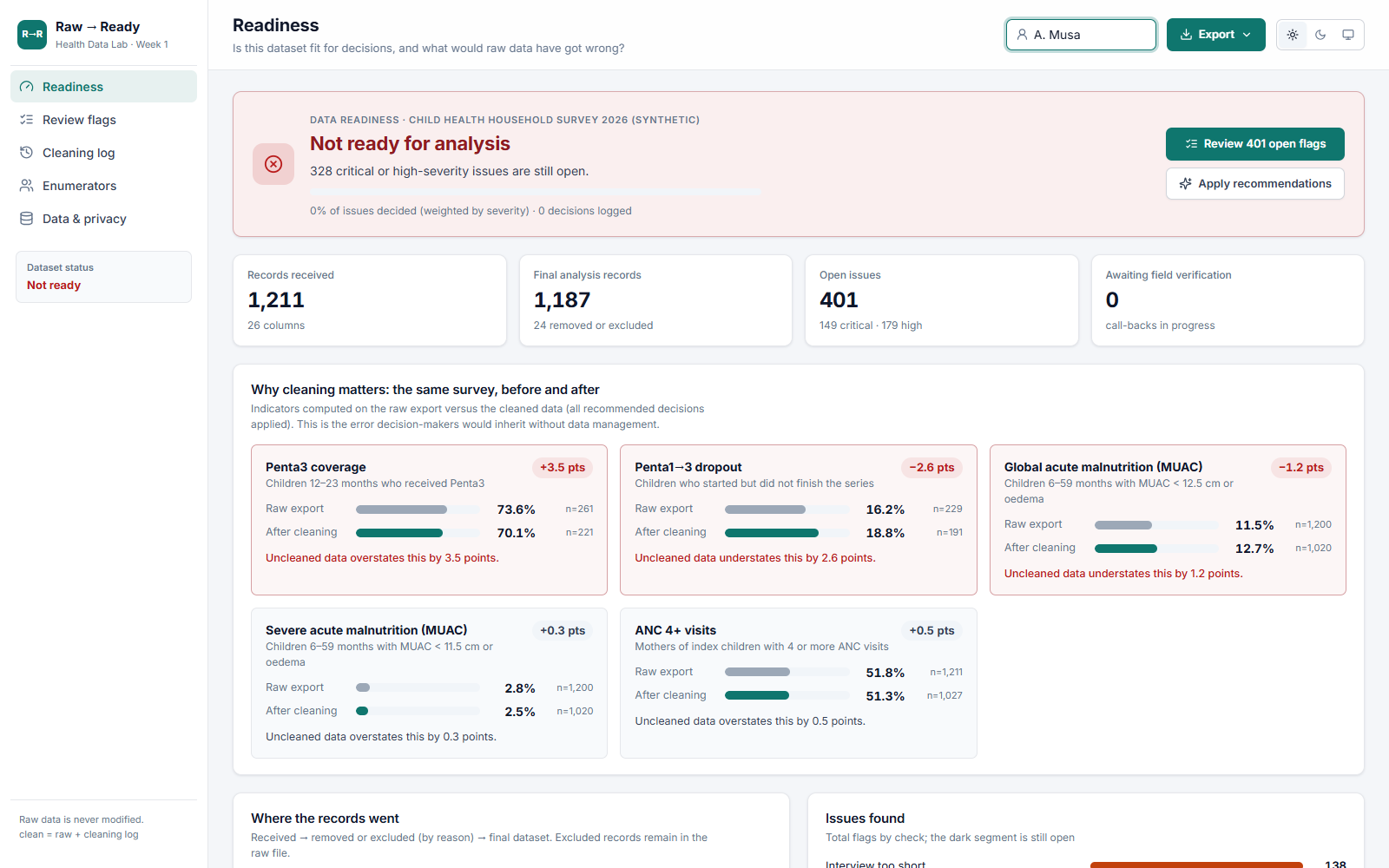
The first screen answers the manager's question in one line: not ready, ready with caveats, or ready. Below it, the record counts, open issues, and records awaiting field verification. The verdict only improves as decisions are logged.
2. What uncleaned data would have told you
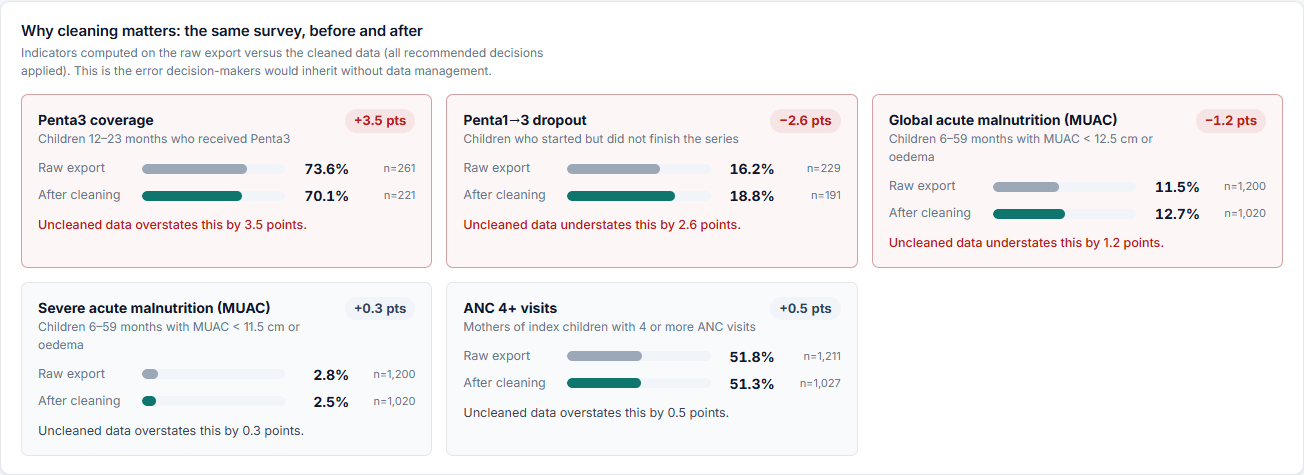
This is the heart of the tool. Each headline indicator is calculated twice: on the raw export, and on the cleaned data. In this survey:
| Indicator | Raw export | After cleaning | What raw data would have said |
|---|---|---|---|
| Penta3 coverage (12–23 months) | 73.6% | 70.1% | Coverage looks 3.5 points better than it is |
| Penta1→3 dropout | 16.2% | 18.8% | The dropout problem looks 2.6 points smaller than it is |
| Global acute malnutrition (MUAC) | 11.5% | 12.7% | 1.2 points of malnutrition are hidden |
Why? The fabricated interviews report every child as vaccinated and well nourished. They inflate coverage and dilute malnutrition. A programme manager reading the raw numbers would cut defaulter tracing and nutrition screening in exactly the places that need them.
3. Review flags: a decision for every issue
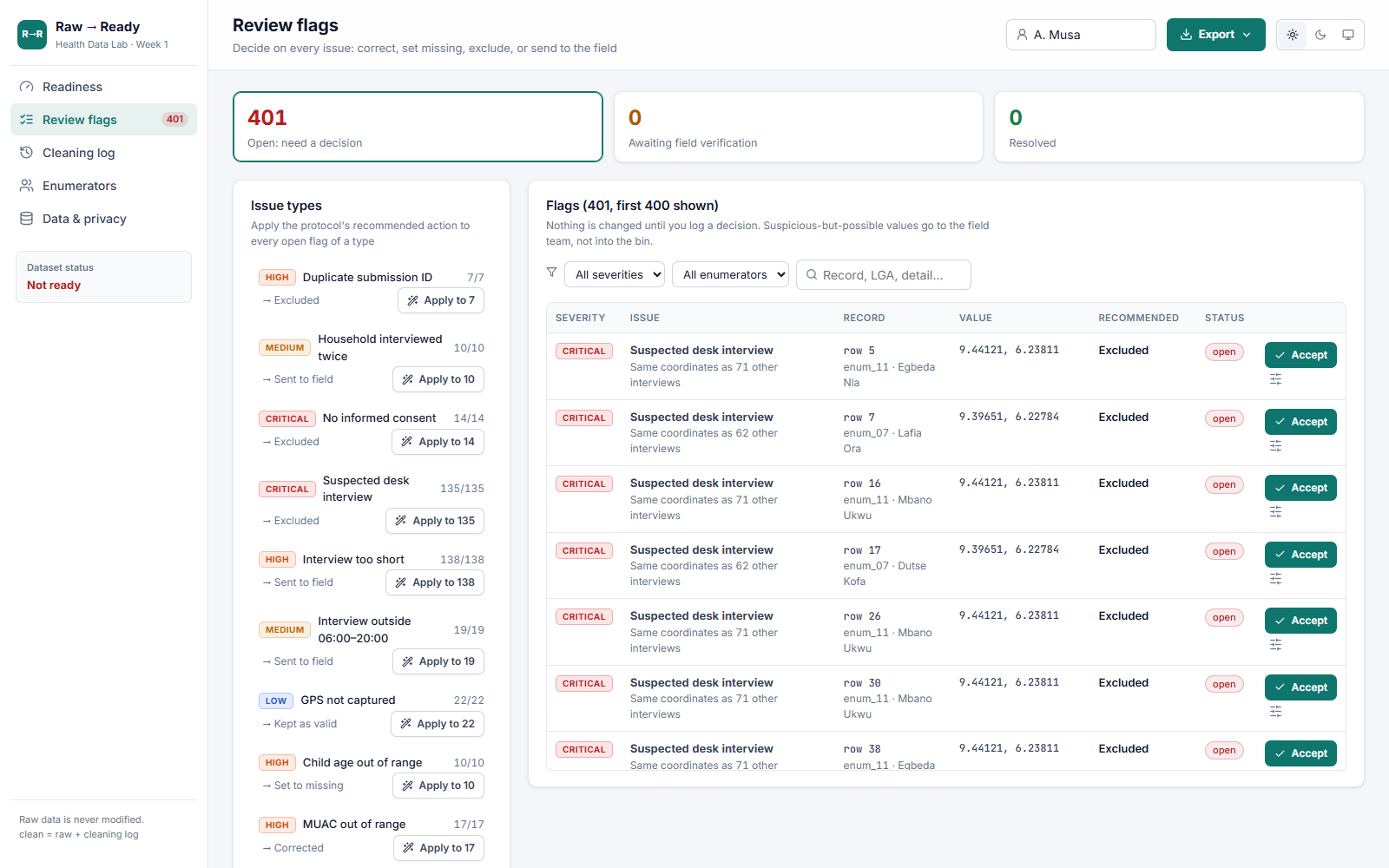
Each issue comes with the recommended action from a standard cleaning protocol: correct a clear typo (MUAC 125 → 12.5 cm), set to missing an impossible value (a child aged 120 months), exclude records without consent or suspected desk interviews, or send to the field for a call-back when a value is suspicious but possible. The data manager accepts the recommendation, chooses another action with a reason, or applies the protocol to a whole issue type in one click.
4. The cleaning log: an audit trail nobody can quietly edit
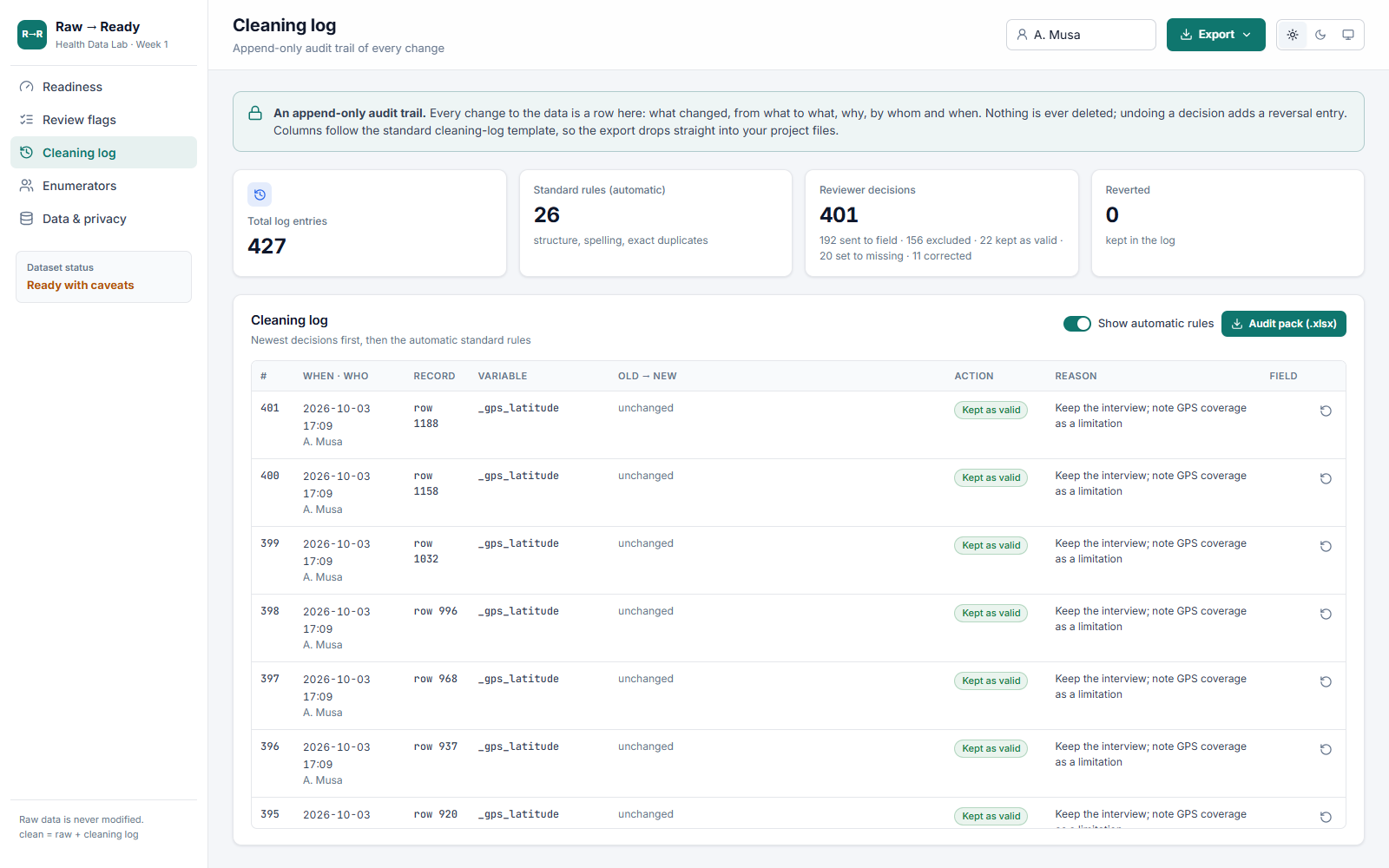
Every decision becomes a row: record, variable, old value, new value, reason, action, field verification, reviewer and time. The log is append-only: undoing a decision adds a reversal entry instead of erasing the original. The columns match the standard cleaning-log template, which you can download from this post.
5. Enumerators: fix problems while teams are still in the field
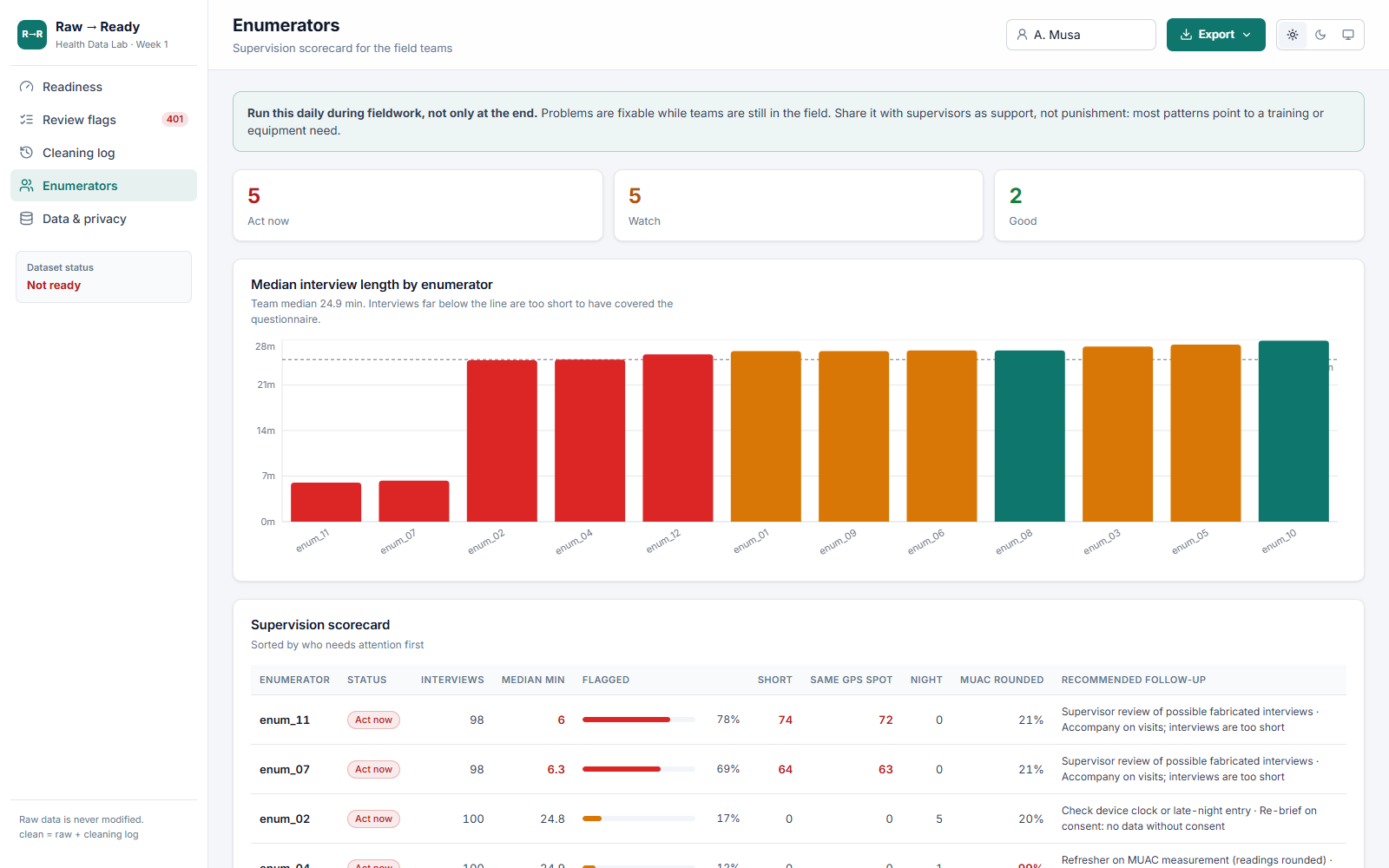
Data quality problems are usually people problems, and fixable while fieldwork is ongoing. The scorecard shows who needs support: two enumerators with interviews of about 6 minutes against a 25-minute team median, dozens of interviews at an identical GPS point, or MUAC readings always rounded to .0 or .5 (a measurement-training need). Each comes with a suggested follow-up. Run it daily, and share it as support, not punishment.
6. Data & privacy: proof, and protection
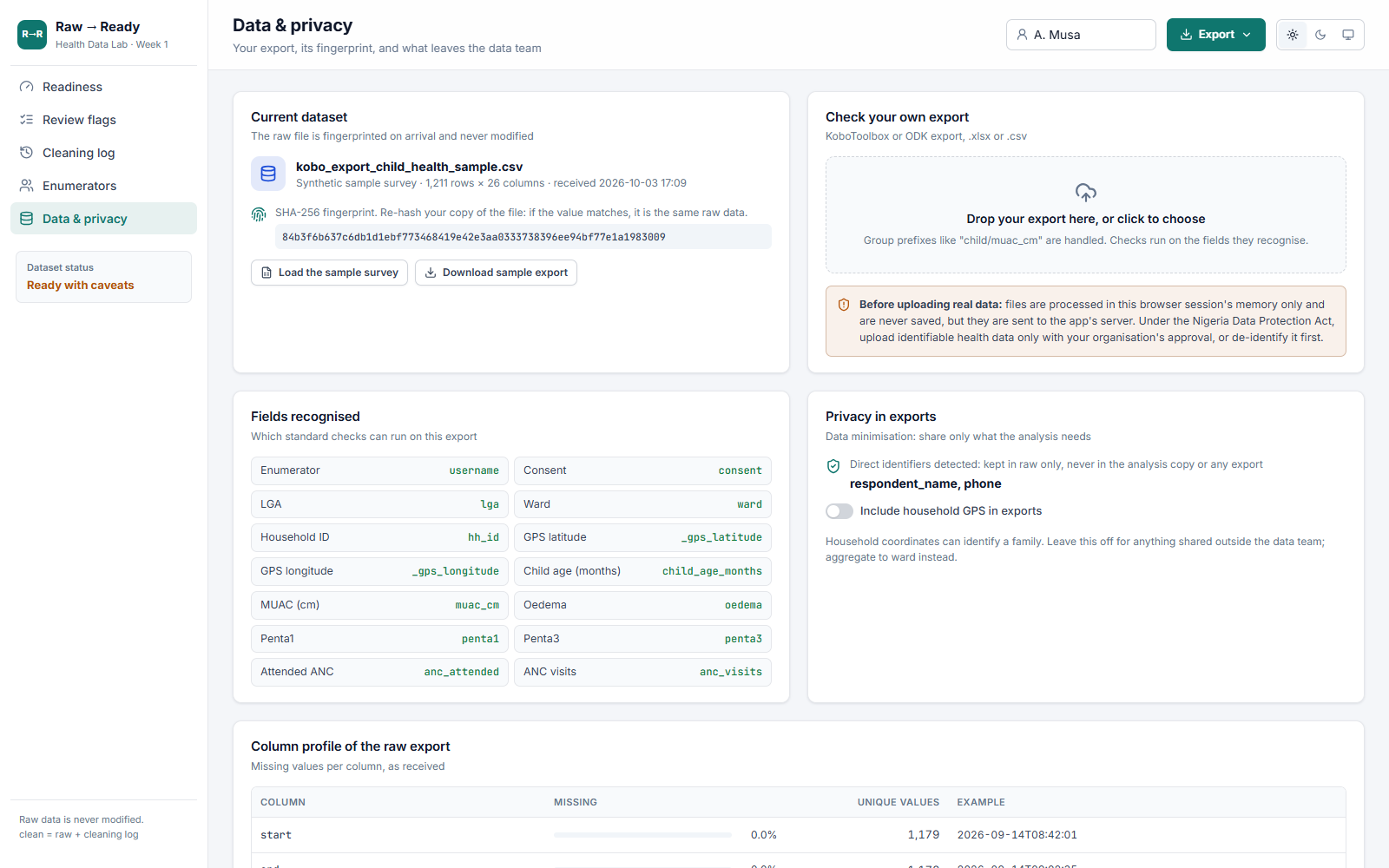
When an export arrives, the tool records its SHA-256 fingerprint, a unique code computed from the file's contents. If someone later questions the analysis, hash your stored copy: the same fingerprint proves it is the same raw data. Names and phone numbers are detected and never reach the analysis copy or any export, and household GPS is left out of shared files by default.
After cleaning
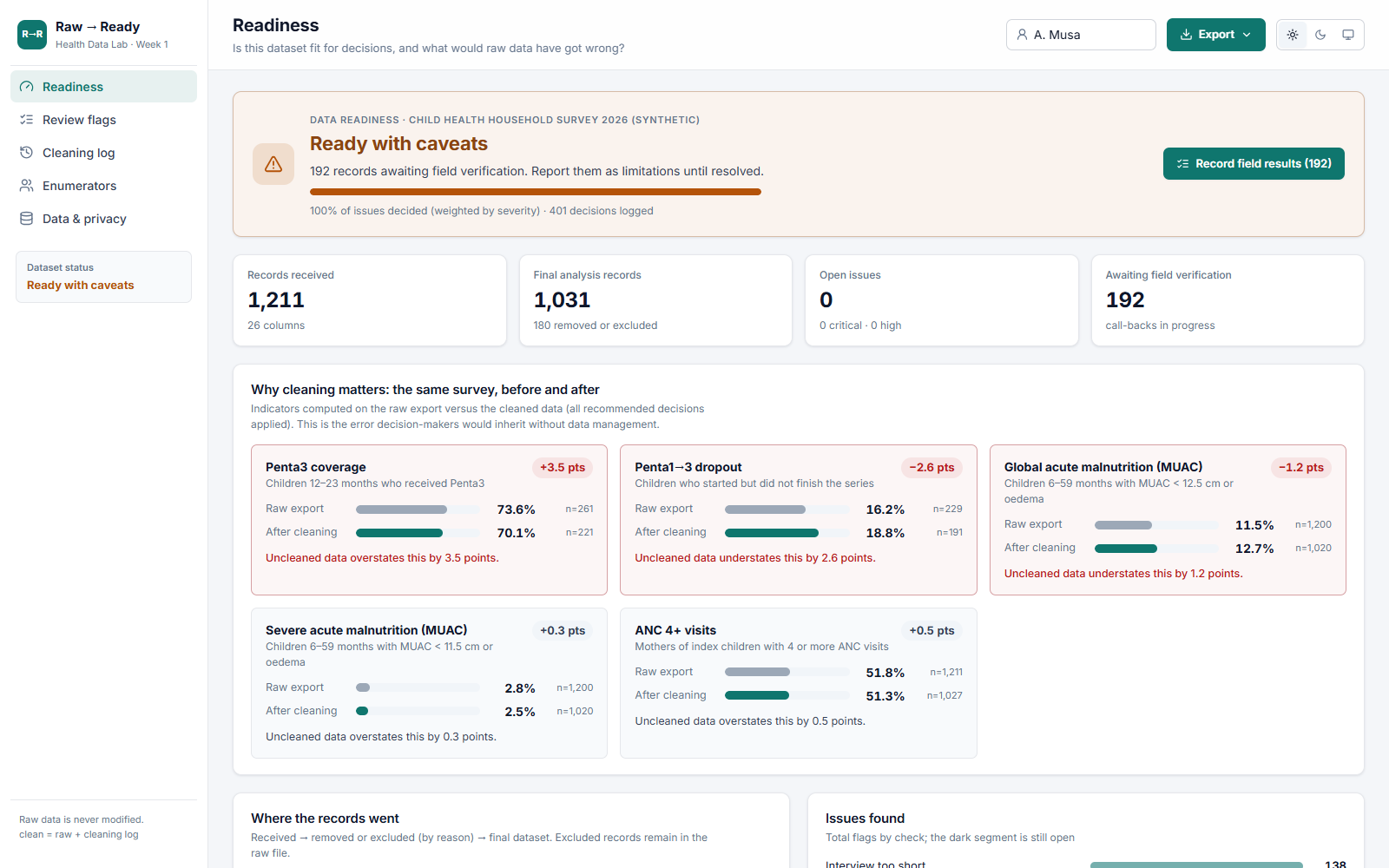
Once every flag has a logged decision, the verdict moves to ready with caveats: the remaining call-backs are reported as limitations until the field team confirms them. One click exports the audit pack (clean data, cleaning log, flags, enumerator scorecard and indicator impact in one Excel file), a shareable clean CSV, and a one-page summary for managers and partners.
Use it in your next survey
- Create
raw/,clean/,logs/anddocs/folders before fieldwork starts. Raw exports go inraw/, dated, and are never edited. - Start a cleaning log on day one using the template below.
- Run enumerator checks daily during fieldwork.
- Agree a handling protocol in advance: what is corrected, what is set to missing, what goes to the field, what is excluded.
- Report the funnel in every analysis: records received → excluded (by reason) → final N.
The app runs on a free server that sleeps when idle; the first visit can take about a minute. All data in the app is synthetic.
Next week
Week 2: Lint your XLSForm before you deploy. Most cleaning problems start in the form. Next week's tool checks a KoboToolbox form for broken skip logic, missing choice lists and absent constraints before a single interview is collected.
All data in this post and the app is synthetic. Upload identifiable health data to any online tool only with your organisation's approval, or de-identify it first.